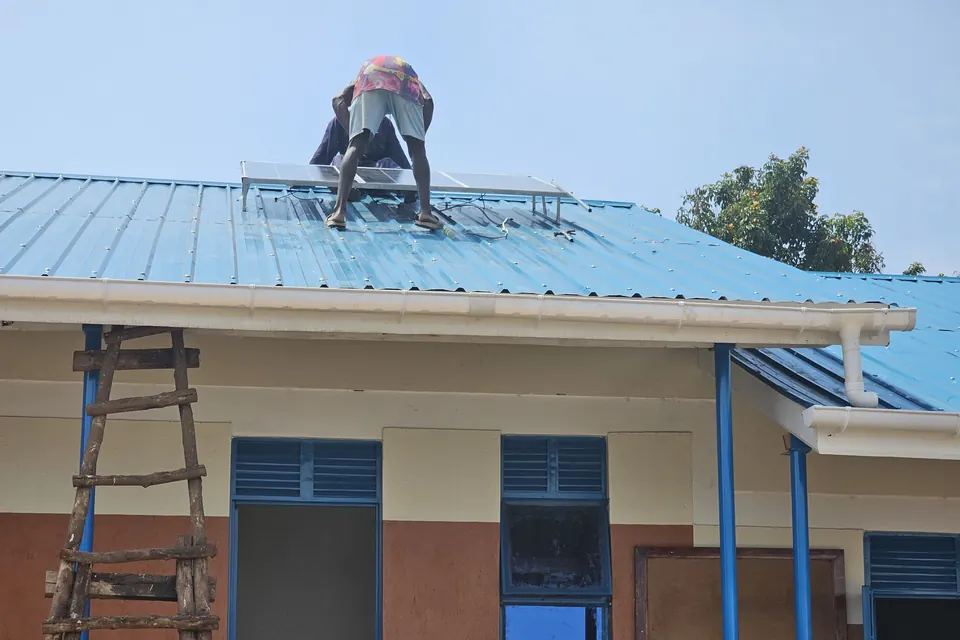
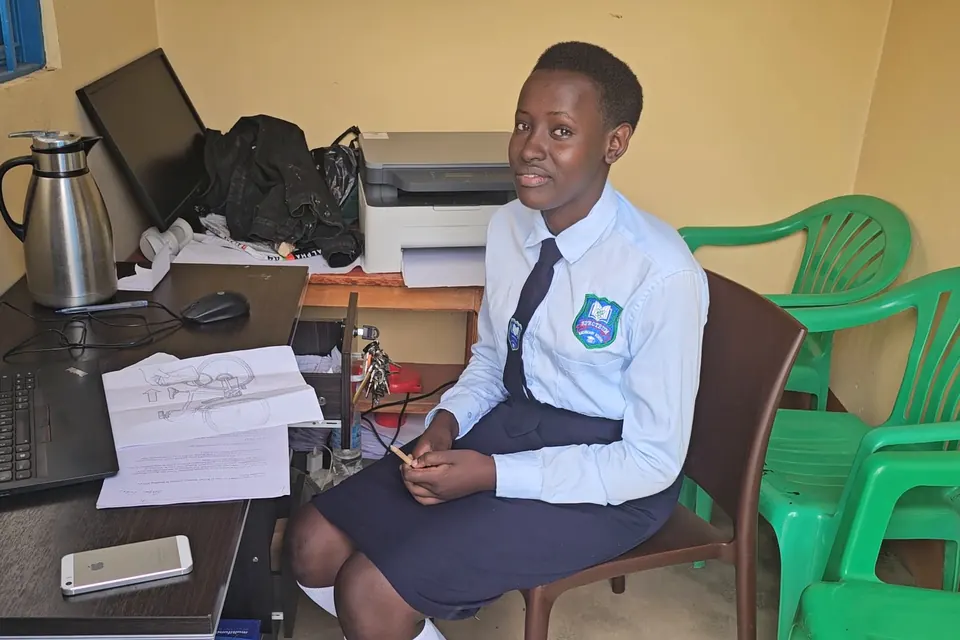
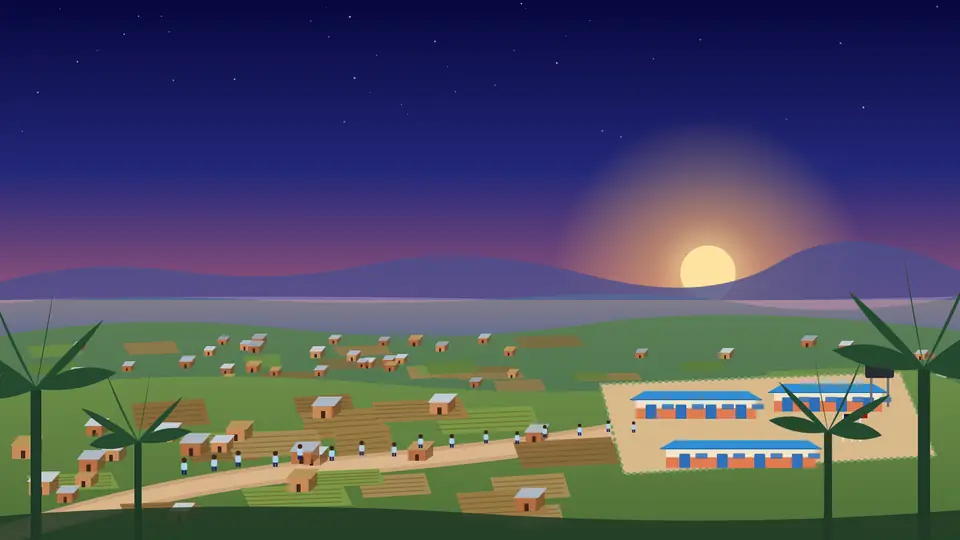
Learning continues, even when the internet doesn’t.
EDGE is an offline-capable digital learning layer. It is designed to give local access to compatible learning resources and services when the internet is unavailable or unreliable.
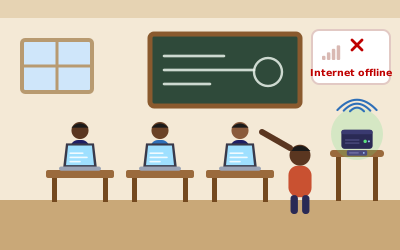
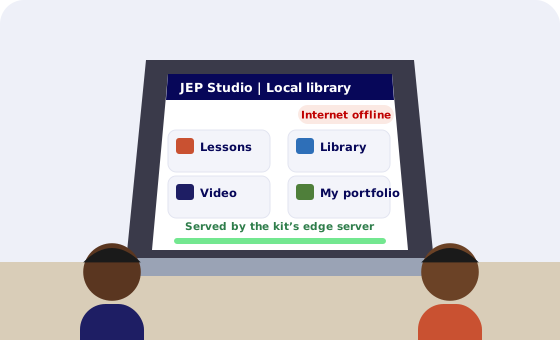
Internet: offlineLearning continues on the local EDGE
Design specification. This page describes what EDGE is designed to do. It does not describe equipment installed at Spectrum or anywhere else.
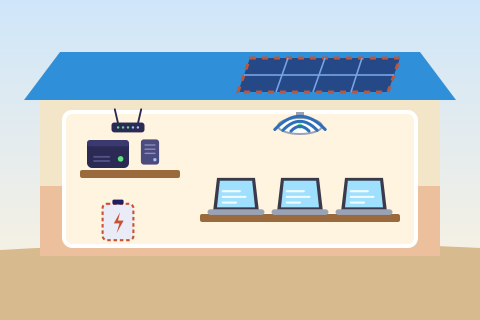
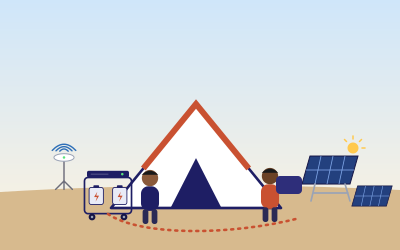
Illustration. The school, the learners and the equipment are drawn to explain the idea.
Part 1 of 5
What EDGE does
Six capabilities. Each card shows what works offline, what needs the internet and what needs specific hardware.
How to read the labels
Works offlineNeeds internetNeeds specific hardware
Local Learning Resources
Works offline
Approved lessons, documents and reference content stored on the local server open without the internet.
Technical detailView details
Only what has been chosen, downloaded, stored and set up in advance is available offline. Resources are copied while a connection is available, or brought in by hand.
Local Network Access
Works offline
Supported laptops and tablets join the local Wi-Fi and reach compatible applications on the server.
Technical detailView details
The local learning environment opens in a web browser. Learner, staff and management networks are kept separate, with content filtering.
Offline AI
Works offlineNeeds specific hardware
Compatible AI models can run locally where suitable software and hardware are available.
Technical detailView details
Local AI depends on model compatibility, processing power, memory, storage and energy. In JEP its role is narrow and supervised: it helps a learner frame questions and gives feedback on a draft, never assessed work. Use is phased by class. Internet and AI access by class
Online Services
Needs internet
Internet-dependent services, such as web research, advanced AI and remote mentors, are used only when a connection is available.
Technical detailView details
Online services stop when the connection is lost. Web access follows the class rules: supervised, filtered and logged, with no learner personal data sent to online tools or public AI.
Synchronization
Needs internet
When connectivity returns, approved content and permitted data are exchanged with the wider network.
Technical detailView details
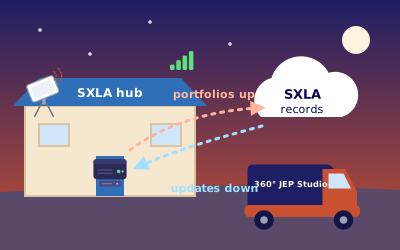
Sync follows rules set in advance: what goes up, what comes down, and when. It sends changes only, in priority order: assessment records, then portfolios, then content updates. A disconnected node cannot reach remote systems until a connection returns.
Management and Security
Works offlineNeeds internet
Accounts, permissions, maintenance and resource management are applied locally; remote updates need a connection.
Technical detailView details
Encryption at rest, role-based access and audit logs work on the local server. Security updates, remote monitoring and cloud backup run when the node is online. Security and data in the specification
Operating modes
EDGE is designed to work in three conditions. Core learning continues in all three.
Internet available
Full use: local resources, online services, updates and syncing.
Internet slow
Local resources first. Syncing waits, or runs in small amounts outside lessons.
Internet unavailable
Core learning continues on the local network. Online services pause until a connection returns.
JEP defines how learning happens. EDGE helps make the necessary digital resources and services available, even when connectivity is limited. EDGE is the offline layer of the Hybrid Edge JEP Studio, not the curriculum, the teacher or the purpose. The Studio provides the tools; JEP gives learners a reason to use them.
Part 2 of 5
EDGE technical specifications
The design values in SXLA’s technical documents. Where a value is not yet set, it says so.
Computing hardware and storage
Edge server for a school node, proposed minimum: 8-core processor, 32 GB memory, two 2 TB solid-state drives, mirrored, in a dust-protected enclosure. For a full Studio node: 12 to 16-core processor, 64 GB memory, two 4 TB drives, mirrored, plus a backup disk.
Operating system and software
An open-source, offline learning stack. Operating system: To be determined based on requirements. Learning platform: To be determined based on requirements.
Local networking and Wi-Fi
Router and firewall, a managed switch with power over Ethernet, and Wi-Fi 6 access points. Content filtering, and separate networks for learners, staff and management.
Supported client devices
Laptops or computers with at least 4 GB memory (8 GB preferred), solid-state storage, Wi-Fi 5 or better and a current web browser.
Learning resources and applications
Offline learning platform with JEP units for S1 to S4, a digital library (reference material, textbooks and video), file storage and portfolios, assessment records and local accounts.
AI models and inference
A small local model running on the processor, used by one group at a time, in a narrow, supervised tutoring role. A graphics card or separate AI server is an optional module for larger models. Model: To be determined based on requirements.
Power
Solar and battery backup for critical loads: edge server, network and internet gateway. Proposed for a school node: about 1 kWp of panels, about 5 kWh of lithium iron phosphate battery and a 1.5 kVA inverter or UPS, sized after a site assessment. Laptops charge from the school supply.
Internet connectivity and synchronization
Satellite internet gateway with a mobile-data backup, bandwidth caps and scheduled sync: changes only, nightly, in priority order. Large video updates run outside school hours. Speeds: To be determined based on requirements.
Security, permissions and data
Encryption at rest, role-based access, audit logs, minimal data collection and pseudonymised data in any report. Encrypted cloud backup when online. Learner personal data stays on the local server by default and never goes into public AI tools, in line with Uganda’s Data Protection and Privacy Act 2019.
Maintenance and updates
Remote monitoring, security updates and patching by the technical partner. A trained ICT focal person at the school gives first-line support. Configuration records and written procedures let the same node be set up again.
Proposed minimums and design estimates from SXLA’s Digital Plan and edge specification (October 2026), validated by a site assessment. No vendor, speed, capacity, uptime or user limit is claimed.
Serves classrooms, a library, a computer laboratory or a JEP Studio.
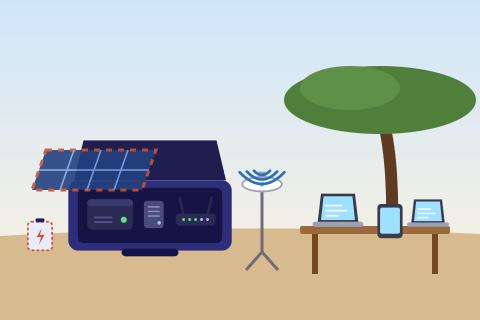
Portable node
Carries the server, Wi-Fi and power to schools without their own. The JEP Mobile Kit
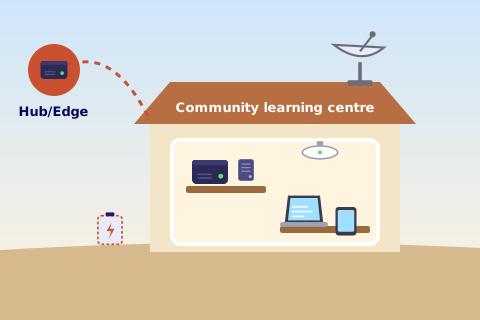
Shared node
Serves a community learning centre or partner, and connects to the Hub/Edge when it can.
Part 3 of 5
SXLA Central Hub/Edge and connected nodes
The Hub/Edge coordinates the network according to its configuration. Each node serves its own learners, online or not.
SXLA Central Hub/Edgeapproved content, updates and network reports
Connected school and partner nodesa local EDGE at each site
Local devices and learnerson the node’s own Wi-Fi
A node is not automatically connected
A disconnected node keeps serving its learners but cannot reach remote systems. Syncing, remote administration and exchange between nodes need a suitable connection, compatible software and an authorised configuration.
No. This section shows the network as designed. In SXLA’s documents the Central Hub/Edge sits at Spectrum Secondary School, holds the approved content, receives pseudonymised summaries only, and leaves each school in control of its own learner records. No edge server, local AI, satellite link or central Hub is installed or operating.
Part 4 of 5
JEP Mobile Kit: Learning Beyond the Computer Lab
A portable configuration that brings a complete JEP Studio to classrooms and learning spaces that have no computers, server or internet of their own.
What kind of kit is it?
A hybrid, in SXLA’s Hub-and-Box design (version 1.0, October 2026): a portable EDGE node with its own edge server and Wi-Fi, plus learners’ laptops. The school needs no EDGE node of its own; a Lite kit can use the school’s computer lab. The kit is a design specification; no kit is in use.
Works offlineNeeds specific hardwareSyncs at the hub
LaptopsOne per learner, plus one for the facilitator and one for the teacher, in padded, lockable cases.
2
Edge server and storageThe library in a box: lessons, the offline library, approved AI tools and learners’ portfolios.
3
Wi-Fi access pointsThe studio’s own network: laptops reach the server with no internet at the school.
4
Learning materialsNotebooks, maker materials and simple tools, with first aid and a fire extinguisher.
5
Batteries and inverterOn wheeled racks. Designed to carry a full afternoon of sessions if the grid fails.
6
Solar panels on standsRecharge the batteries during long blackouts and on sunny days.
7
Portable satellite internetOptional. Supervised web access for S3 and S4 only, filtered and logged by the server.
8
Cables and protectionColour-coded plug-in cables, circuit breakers, surge protection and an earth spike.
9
Sensor and physical computing kitSensors and a small programmable board so learners can measure, test and build working prototypes.
Illustration The JEP Box and its modules. Every part shown is listed in SXLA’s kit specification; equipment is drawn generically.
From arrival to sync
Step 1
Arrive
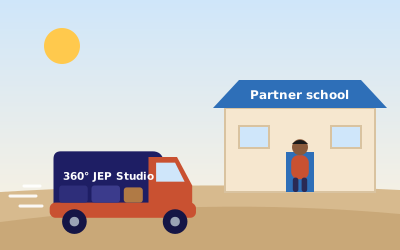
The kit travels from the hub and reaches a partner school at lunchtime.
Step 2
Set up
Two trained stewards set up tent, power, Wi-Fi and laptops in about one hour, then run a safety check.
Step 3
Learn
The teacher leads. The kit serves the stages that need devices: offline research, digital tools and portfolios.
Works offline
Step 4
Pack and sync
Packing takes about 45 minutes. At the hub, when connected, the server takes updates and uploads portfolios, encrypted and kept separate by school.
Needs internet
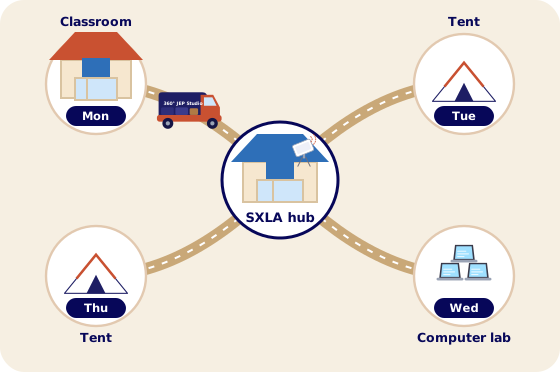
IllustrationOffline, still learning. Lessons and the library come from the kit’s server; the internet is not needed.IllustrationOne kit, many places. In the design, the kit visits one partner school a day, Monday to Thursday, and sets up in a classroom, a computer lab or its tent.
How the kit connects
The kit provides the tools. JEP gives learners a reason to use them.
The kit does not deliver JEP on its own: teachers run most of the cycle without devices. The kit enriches the programme; the school carries it.
Configurations
Lite
A school with a computer lab or a spare room
Space
No tent: uses a classroom
Battery
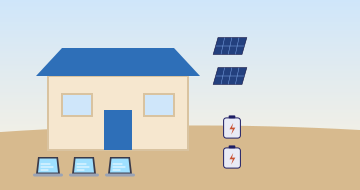
2 modules, 2.56 kWh
Solar
2 panels, 400 W
Server and Wi-Fi
Included
Laptops
15, or the school lab
Per session
15 learners
Standard
Most partner schools
Space
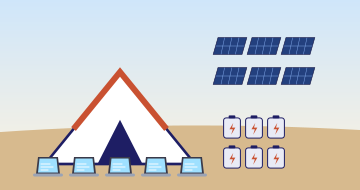
Tent, 9 m by 6 m
Battery
6 modules, 7.68 kWh
Solar
6 panels, 1,200 W
Server and Wi-Fi
Included
Laptops
40, plus 2 for staff
Per session
40 learners
Advanced
Long blackouts most days, or no grid
Space
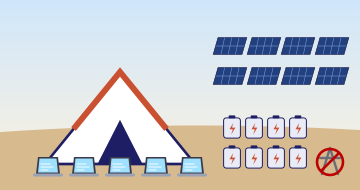
Tent, 9 m by 6 m
Battery
8 modules, 10.24 kWh
Solar
8 panels, 1,600 W
Server and Wi-Fi
Included
Laptops
40, plus 2 for staff
Per session
40 learners, ready for sites with no grid
Every size includes the sensor and physical computing kit, as set out in the kit specification; its contents are to be determined based on requirements.
Mobile Kit specifications
Intended use
One complete JEP Studio session at a partner school, in its afternoon project time: two sessions of up to 40 learners, one laptop each. In the design, one kit serves four partner schools on a weekly circuit from a hub.
Hardware and accessories
Six modules: power (battery modules and an inverter-charger on wheeled racks), solar (panels on ground stands), edge server and Wi-Fi, laptops in padded, lockable cases, a tent with furniture, and learning materials. Also cables and protection, a sensor and physical computing kit, an optional display and portable satellite internet.
Sensor and physical computing kit
Sensors and a small programmable board so learners can measure, test and build working prototypes. Exact sensors: To be determined based on requirements.
Supported devices
The kit’s own laptops: 40 for learners, one for the facilitator and one for the partner school teacher, each with 8 GB memory and 256 GB storage in the costing. A Lite kit can use a school’s computer lab; the method for loading content onto lab computers: To be determined based on requirements.
Offline and online capabilities
Offline: lessons, the offline library, approved AI tools at each class’s access level, and saving portfolio evidence. S1 and S2 sessions run offline. Online: supervised web access for S3 with teacher approval and consent, and for S4 after a readiness check. Partner schools need no internet of their own.
Power requirements
About 5.2 kWh per afternoon (design estimate). Grid first where it is on, batteries always carried, solar as back-up. The Standard kit stores about 6.1 kWh usable, enough for a full afternoon if the grid is off. Wiring is signed off by a qualified electrician or solar installer.
Local networking
Two Wi-Fi access points, one on a 2 to 3 m tripod mast and one on the tent frame, sharing the kit’s laptops on the studio’s own network.
Storage and software
Edge server with 64 GB memory, a graphics processor and about 1.25 TB of storage (250 GB built in, plus a 1 TB drive). A full video library needs a 2 TB drive instead. Offline learning platform: To be determined based on requirements.
Security and maintenance
The server filters and logs all web traffic. Portfolios are uploaded encrypted and kept separate by school. The kit returns to the hub every evening, with asset tags, a GPS tracker and insurance. Two trained stewards set up, maintain and log sessions, and one weekday is kept for maintenance.
Configurable options
Lite, Standard and Advanced, built from the same modules. The sensor and physical computing kit is included in the kit specification; contents to be determined based on requirements. Battery modules are added or removed in pairs.
Design estimates from the JEP Studio Hub-and-Box Model, version 1.0 (October 2026). Suppliers, a qualified installer and first use confirm them. No vendor is named.
Part 5 of 5
Requirements and limits
What offline learning depends on, in plain terms.
Only what is stored
Offline availability depends on what has been downloaded, installed, stored and set up in advance.
Local AI needs the right hardware
It depends on model compatibility, processing power, memory, storage and energy.
Online services stop offline
Services that depend on the internet may become unavailable when the connection is lost.
Syncing needs a connection and set-up
Synchronisation happens only when the required connection and configuration are in place.
Access and data must be managed
User access, data protection, security updates and permissions need to be looked after, every term.
Every site is different
Hardware and deployment needs vary by school and by use.
We make no claims about speed, capacity, uptime, cost savings or the number of users served. Figures on this page are design estimates from SXLA’s documents.
Help equip the Hybrid Edge JEP Studio
Support helps equip the Studio at Spectrum Secondary School, built to this specification.