The Junior Entrepreneurs Program (JEP) is a way of learning developed by SXLA. Learners investigate real challenges, build solutions and develop entrepreneurial capabilities, inside the national curriculum.
For learners
Your questions matter here
You already notice things: a garden that dries out, water that is far away, a price that keeps rising. In JEP, those things are where learning starts. You do not wait to be handed a project. You bring the question.
What happens in JEP
Notice and ask. With your class, you pick a real challenge and ask why it happens.
Learn what you need. Your teacher teaches the subject knowledge your question needs, when you need it. You still follow the national curriculum and prepare for your exams.
Choose your tools. People, books, local materials and, step by step from S1 to S4, computers and AI. You check what any tool tells you.
Build, test and improve. You make a first version, test it, listen to feedback and make it better. Mistakes are part of the work.
Tell your JEP teacher, your class teacher or your headteacher about the challenge you have noticed. Your teacher can turn it into a project and, if it helps, contact SXLA.
Please do not send us your name, photo or other personal details online, and do not use this website's contact form. Ask a teacher or a parent to contact us for you.
Not at Spectrum Secondary School? Show this page to a teacher. Teachers can read JEP for other schools.
If something at school or online worries you, tell a teacher you trust. You can also call the Uganda Child Helpline, Sauti 116, free of charge. How we keep learners safe
The JEP story
New to JEP? Follow Baraka, an illustrative S1 learner, through nine short scenes.
JEP is a way of learning, not a separate organisation or partnership. Spectrum Secondary School, which SXLA runs in Kyangwali Refugee Settlement, is the first school implementing it.
SXLASpectrum XLabs Alliance
Develops JEPInside the national curriculum
Schools implement or adapt JEPStarting with Spectrum Secondary School
Students investigate problems and develop solutionsS1 to S4
SXLA developed JEP from its Founder's discomfort with how schooling separates classroom learning from the challenges young people live with. Brainy Swaibu studied and taught in Kyangwali and Hoima. School gave him knowledge, but not the skills, tools and mindset to use it, and he saw that every learner in the same system would hit the same wall.
"Create the conditions that make a learner want to know. Then teach them how to find out."
And its big idea: every learner can turn discomfort into knowledge, action and value.
What JEP is
Not simply an entrepreneurship course or an AI training programme
JEP helps learners notice real situations, ask meaningful questions, work out what they need to learn, find and check knowledge, choose suitable tools, act, learn from feedback and improve.
It creates a reason to acquire and apply knowledge. It does not replace the national curriculum or teachers, and technology is a means of learning, not the purpose.
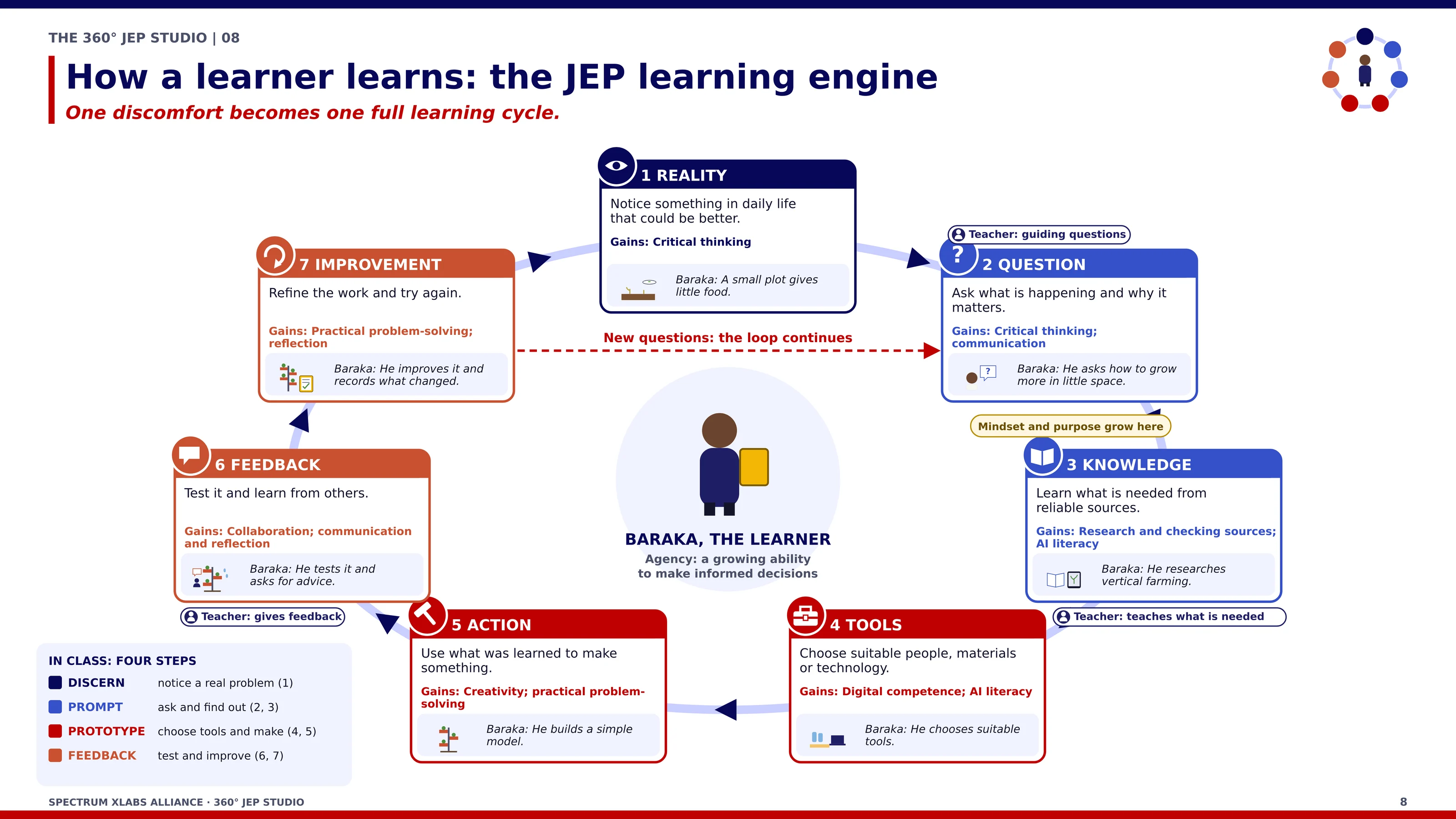
Select to enlargeThe JEP learning engine: one discomfort becomes one full learning cycle.
The learning journey
Seven steps, from reality to improvement and round again
A loop, not a fixed sequence: learners can go back a step, and each improvement raises new questions. In class, the steps sit inside the four-part learning cycle. Stages and Cycle: the Difference
DISCERNPROMPTPROTOTYPEFEEDBACK
1
REALITYThe learner notices a real situation in everyday life and why it matters.
2
QUESTIONThey ask meaningful questions about what is happening and what might be possible.
3
KNOWLEDGEThey work out what they need to learn, then find it and check it in lessons, with teachers and people, and in reliable sources.
4
TOOLSThey choose suitable people, materials and tools, including AI, for the question.
5
ACTIONThey use what they have learned to build, try or make something.
6
FEEDBACKThey test it, observe what happens and ask others for advice.
7
IMPROVEMENTThey use the evidence to improve, and new questions start the loop again.
The JEP learning cycle
How JEP works in practice
The JEP learning cycle, DISCERN, PROMPT, PROTOTYPE and FEEDBACK, in six everyday steps.
1DISCERN
Step 1: Identify
Learners name a real challenge or discomfort in their own lives or community, and say why it matters.
Baraka: Baraka's family plot grows too little food.
2DISCERN
Step 2: Investigate
They study the situation closely: what is happening, who it affects and what might be causing it. Their questions come from what they observe.
Baraka: He asks why the plot grows so little, and looks at its soil, water and crops.
3PROMPT
Step 3: Design
They learn and check the knowledge they need, from lessons, teachers, people who know the problem and reliable sources, then plan a possible solution.
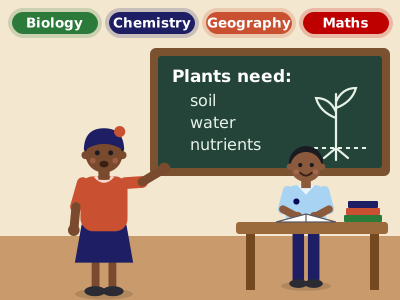
Baraka: His teacher teaches what plants need, just when he needs it.
4PROTOTYPE
Step 4: Prototype
They choose suitable tools and materials, starting with what is available locally, and build a first, simple version.
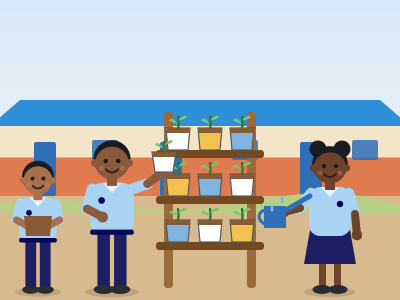
Baraka: With classmates, he builds a container garden at school.
5FEEDBACK
Step 5: Test and improve
They test it, record what happens, ask others for feedback and make it better.
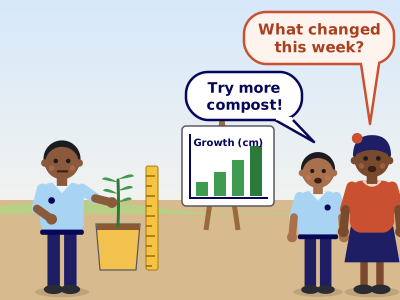
Baraka: He measures growth and listens to his teacher, classmates and a farmer.
6FEEDBACK
Step 6: Create impact
They share what works with the people it could help, and new questions start the cycle again.
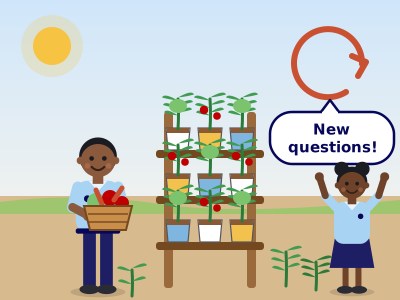
Baraka: He shares what worked with his family, and new questions begin.
Baraka is an illustrative learner, not a real person.
The teacher: guide and mentor
Teaches the knowledge a project needs when learners need it, questions, checks reasoning and gives feedback.
The school: provider
Gives time, space, materials and tools, and opens the door to community experts.
Not every project becomes a business
Projects may lead to better practices, research, products or services. An enterprise is one possible pathway, not the destination.
In plain words
Learning stages and the learning cycle: what is the difference?
Two views of the same project: one from inside the learner, one from the teacher's plan.
The learning stages: what happens inside the learner
The seven steps above, from Reality to Improvement: how understanding grows in a learner's mind. The eleven-step learning engine shows it in more detail.
The learning cycle: how the project is organised
DISCERN, PROMPT, PROTOTYPE and FEEDBACK: the four parts a teacher uses to organise a project. It repeats with every project.
Each learning stage sits inside one part of the cycle. The colours match the stage tags used on this page.
Teachers plan with the cycle and check progress with the stages.
Two learners in the same part of a project can be at different stages; the stages show who needs help with what.
An example from Baraka
Illustrative example While his class is in the PROMPT part of the project, Baraka is turning his question, “Why does our plot grow so little food?”, into something he needs to learn: what plants need to grow. Baraka is an illustrative learner, not a real person.
Think of a farming season
The farmer's year is organised the same way: prepare, plant, tend, harvest. That is the cycle. The farmer's understanding grows through the season. Those are the stages.
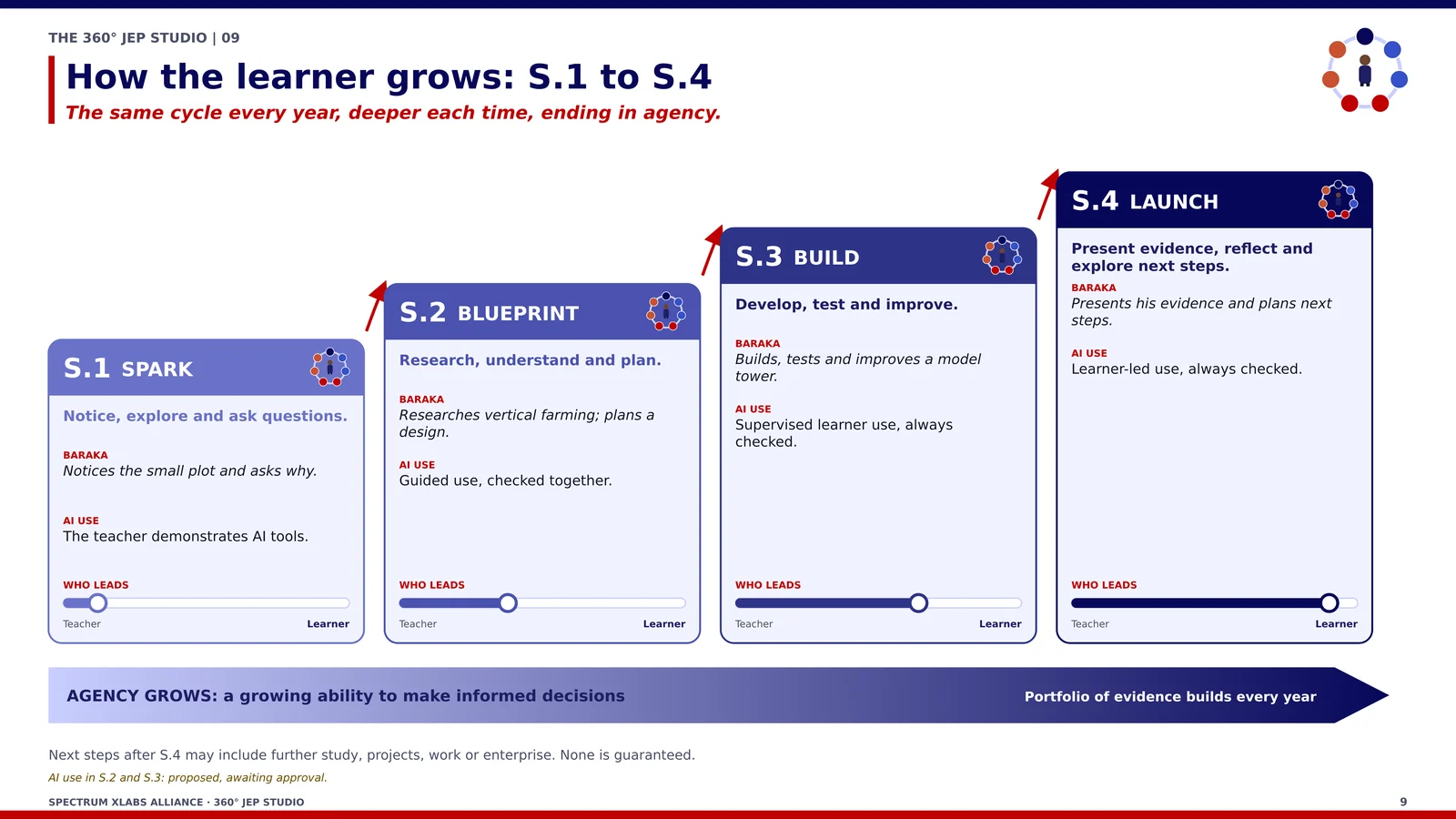
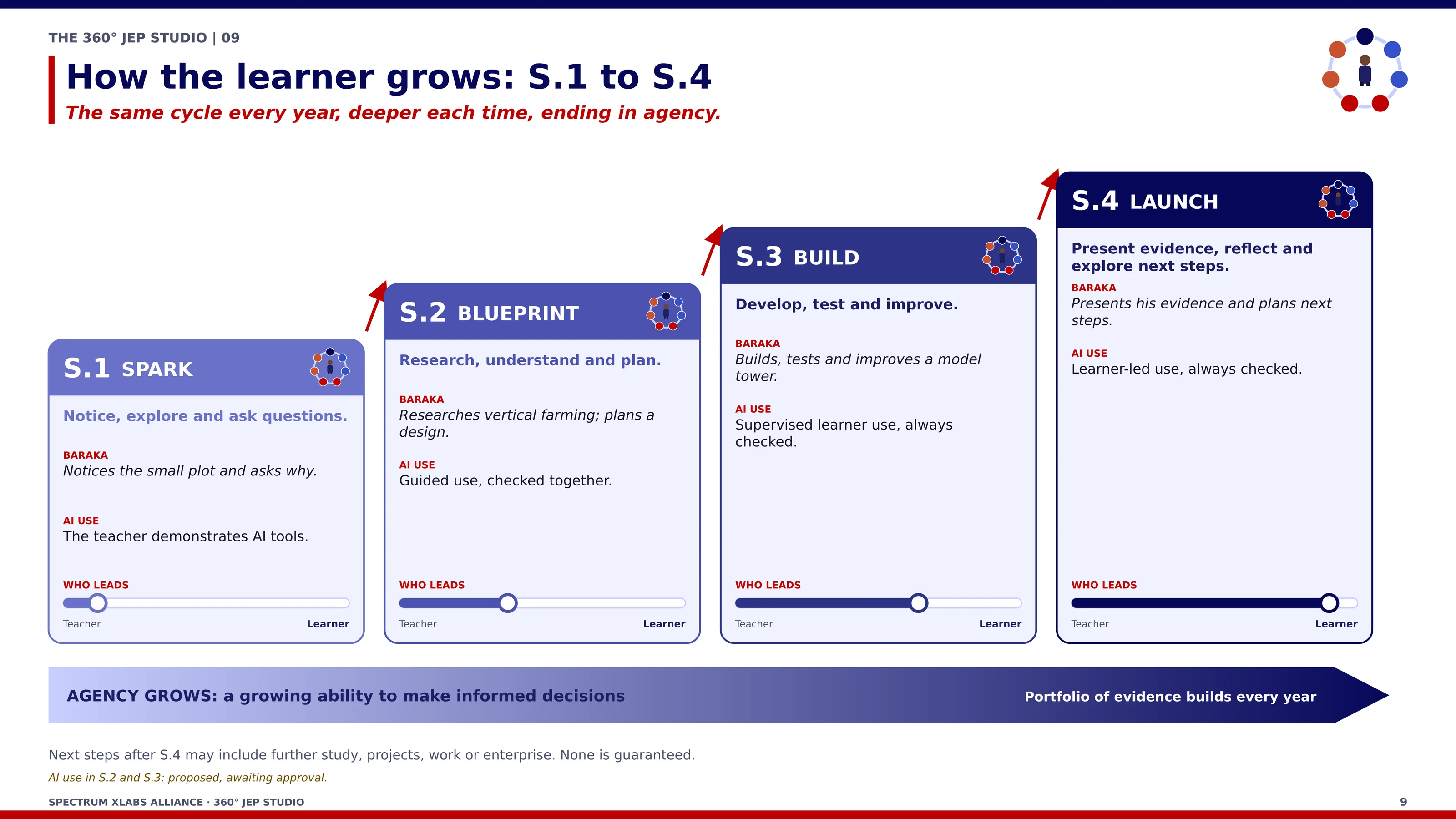
A third idea: growing from S1 to S4. Learners gain independence, from teacher-guided Explorers in S1 to learner-led Innovators in S4. See the AI Access Ladder
Illustrative example
Baraka's small plot: from a private problem to a learning opportunity
When a teacher pays attention to a discomfort a family puts up with at home, it becomes a reason to learn what the curriculum teaches.
Baraka is an illustrative learner, not a real person. No yields, results or income are claimed.
Select to enlargeThe same cycle every year, deeper each time: from teacher-guided Explorers in S1 to learner-led Innovators in S4.
What Baraka experiences
The family plot grows too little food and cannot get bigger. Until a teacher asks, it is a problem he carries alone.
What he investigates
Soil, water, crops, pests, the cost of seeds and inputs, and how much the plot produces.
What the school provides
Time, space, a teacher, the library, local materials, a supervised laptop and a local farmer's advice.
What he learns
Biology, agriculture and mathematics in a real setting; judging sources and checking AI; teamwork; explaining evidence.
What it could become
It might help other households, or become a small social enterprise. That is a possibility, not a promise; what he learns is the measure of success.
Baraka's journey through the seven steps
1DISCERN
Step 1: Reality
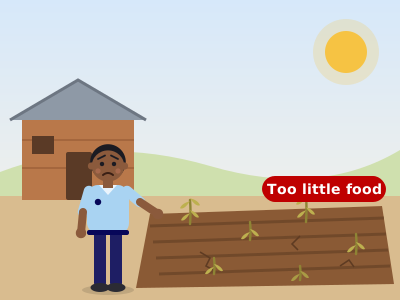
Baraka sees that his family's small plot grows too little food, and he wants to understand why.
2PROMPT
Step 2: Question
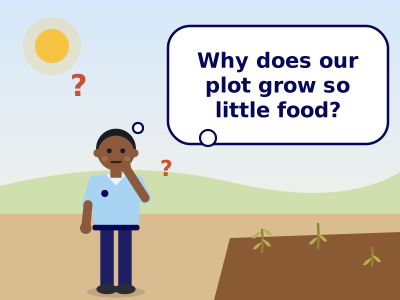
He asks a real question: “Why does our plot grow so little food?”
3PROMPT
Step 3: Knowledge
His teacher teaches what plants need, soil, water and nutrients, just when he needs it, and his subjects start to connect.
4PROTOTYPE
Step 4: Tools
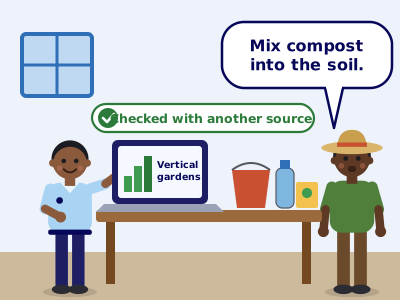
He chooses his tools: a laptop to research vertical gardens, containers and seeds, a local farmer's advice, and a second source to check what he finds.
5PROTOTYPE
Step 5: Action
With classmates, he builds a vertical container garden at school.
6FEEDBACK
Step 6: Feedback
He measures how the plants grow, records it on a chart, and listens to comments from his teacher and classmates.
7FEEDBACK
Step 7: Improvement
He improves the garden and gets a better harvest. New questions start the loop again.
Swipe to see all seven steps
The Studio
What the 360° JEP Studio is
The 360° JEP Studio Toolkit is how SXLA supports schools to implement JEP, inside the national curriculum. Schools can begin with locally available resources; expensive technology is not required to start.
A curriculum for S1 to S4
Teacher development
Assessment that captures learning and reasoning, not only the final product
The Hybrid Edge JEP Studio: offline first, on solar power
Support at every step
What supports the learner
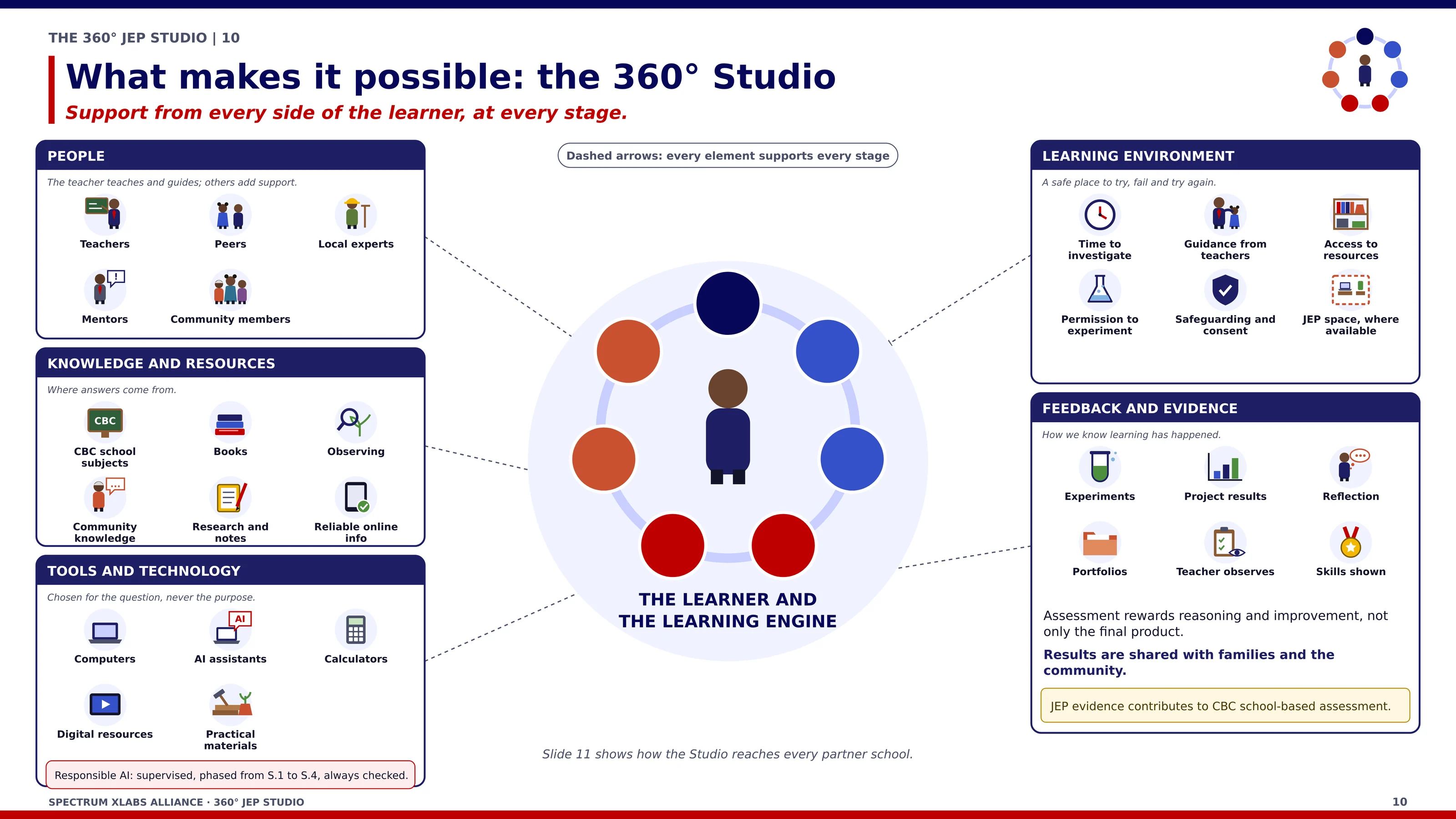
Every support can be used at any step of the journey.
Select to enlargeWhat makes it possible: support from every side of the learner, at every stage.
Curriculum learning
School subjects supply the knowledge a problem needs.
Teachers
Teach, question, guide and give feedback.
Community knowledge
Families, elders and local experts.
Research
Observation, books and reliable sources, checked.
Offline resources
Learning continues without the Internet.
Digital tools and AI
Chosen for the question. AI is a tool, not the purpose.
Tools and AI
How learners choose tools, and how AI use grows
AI is never the starting point. Learners first understand the problem, then look for answers in a set order, and they must be able to explain their work without AI.
Choosing tools: six questions
Choose the tool that fits the problem. You do not need AI for everything.
A Problem Brief comes first. For question 4, the Tool Selection Ladder sets the order: look for yourself, ask a person, read in the offline library, search the web, ask an AI assistant, then use other tools. Four rules apply throughout: verify, keep going offline, protect privacy and disclose AI use.
In S1 the teacher leads and shows. By S4, learners direct their own use of AI and help younger teams.
Each class gets more freedom, with checks kept in place: in S3 and S4, learners log how they verified AI answers. A guarded local AI tutor is specified to run on Studio equipment, not the Internet. From S3, cloud AI is allowed with teacher approval, where the provider's age rules allow it.
Rules from the 360° JEP Studio curriculum. The technology is set out in the Studio specification, a design specification, not equipment at Spectrum today.
Four AI habits, practised in every project, make AI a learning tool rather than an answer machine.
1Define the goal before using AI
2Write effective prompts
3Evaluate AI outputs
4Select the right platform or tool
Official reference model
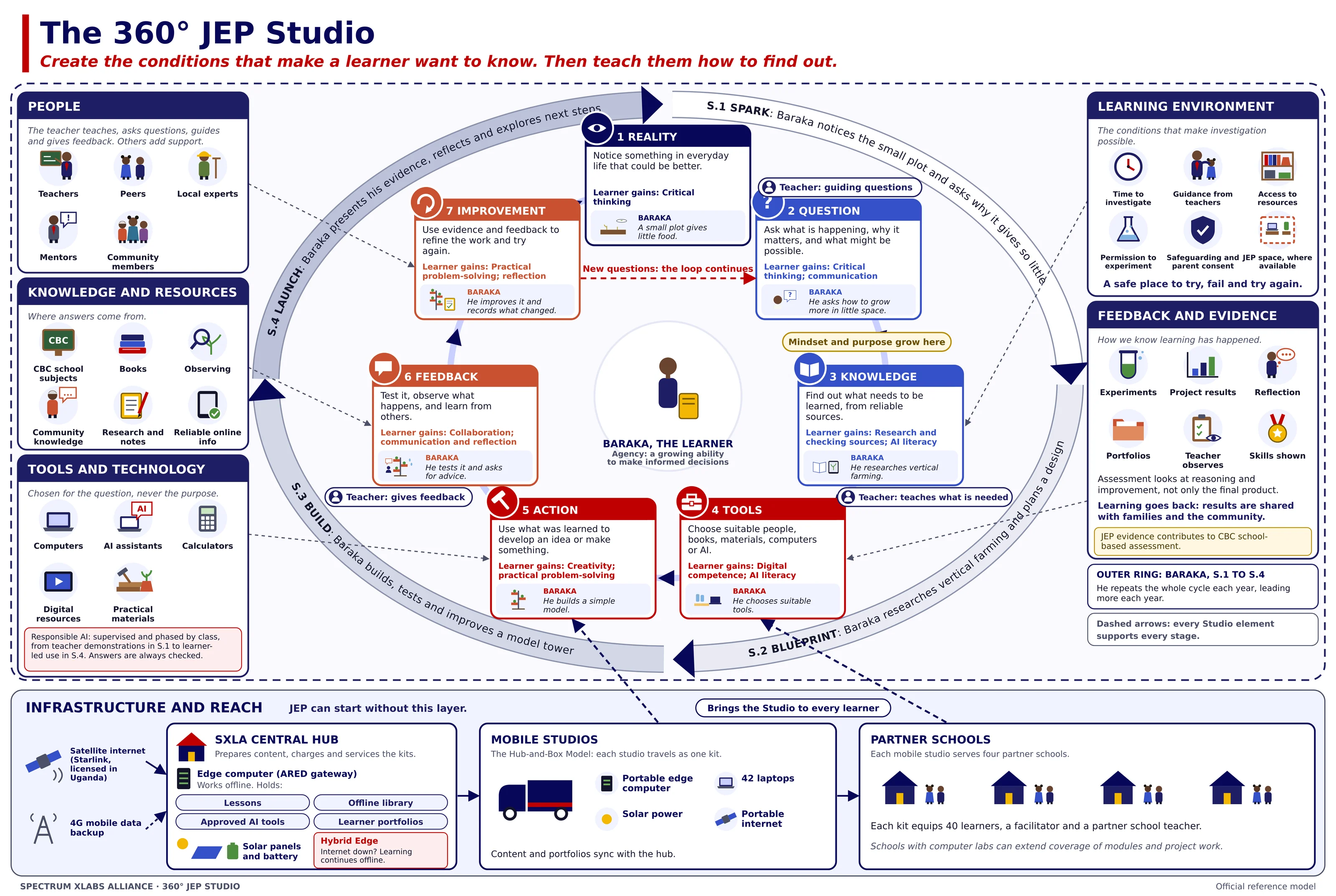
The 360° JEP Studio model
The learner journey, with the people, resources, tools, environment and evidence that support it.
Select to enlargeThe official 360° JEP Studio model. Select the image to enlarge it.
JEP creates a reason to learn; it strengthens the national curriculum and does not replace it.
AI and technology are tools, not the purpose.
Entrepreneurship is one pathway, not the destination.
Teachers remain central: they teach, question, guide and give feedback.
It is designed to work offline on solar power.
Mentoring
Mentors who open doors
Nick Arden, an SXLA board director in Vancouver, Canada, mentors JEP participants on enterprise and careers, alongside Darlene Damm, Chris Ewald and the Founder.
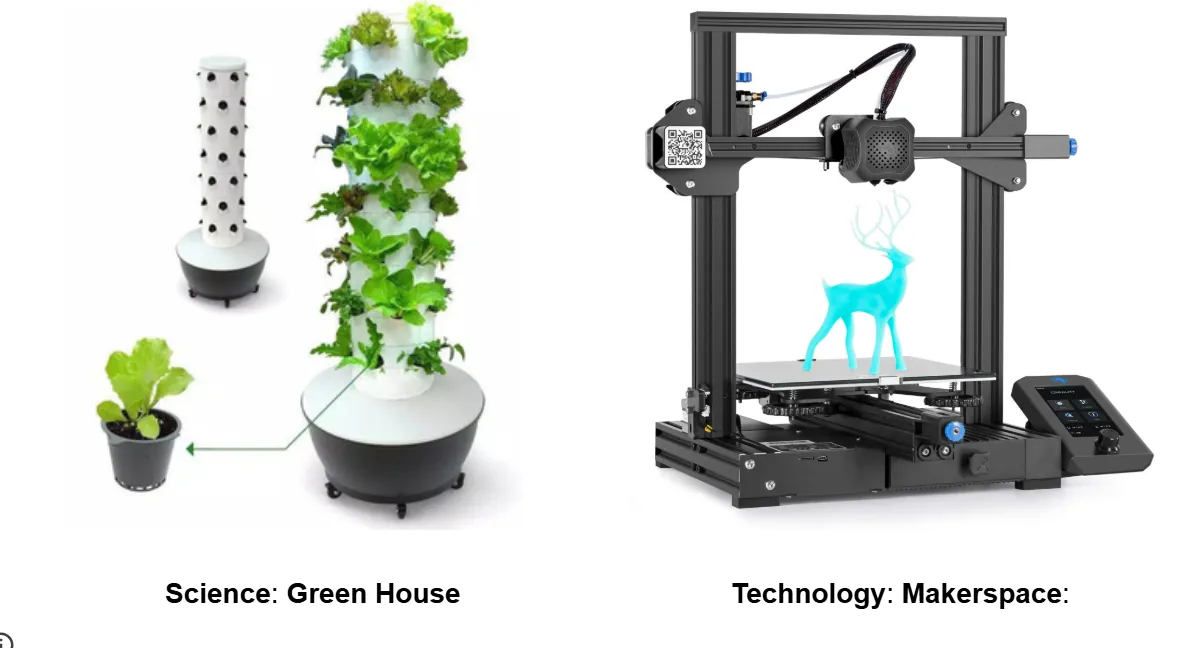
Modules such as a growing tower or a makerspace can be added so that questions lead to hands-on work. The equipment shown is not at Spectrum. View Studio Modules
Examples of equipment for science and technology modules. Illustrative product images; not at Spectrum.
Help more learners start from real situations and learn to find out
Your gift helps equip the Hybrid Edge JEP Studio. Donate through Spectrum TechLabs Alliance, our US-based partner. Donations made through STA may be tax-deductible in the United States, subject to applicable law and your own circumstances. The donation is completed on STA's website.


 Select to enlarge
 DISCERN
 DISCERN
 PROMPT
 PROTOTYPE
 FEEDBACK
 FEEDBACK
 Select to enlarge
 Select to enlarge
 PROTOTYPE
 Select to enlarge
 Select to enlarge
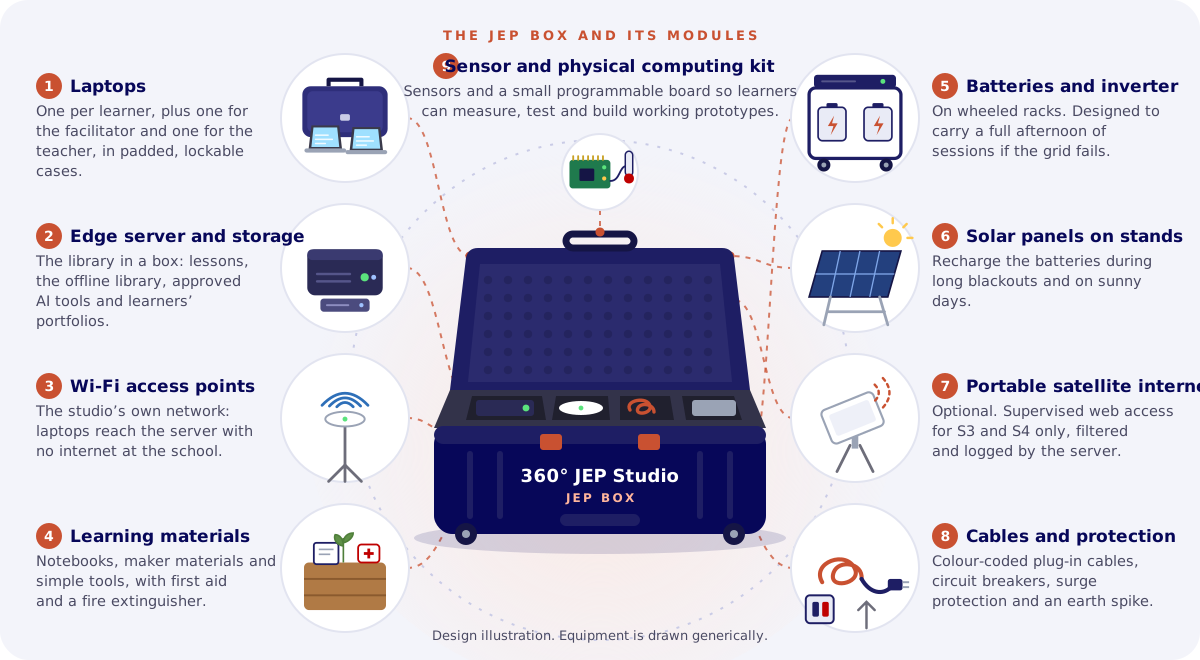 IllustrationJEP Mobile Kit: Learning Beyond the Computer LabSee what is in the kit